Keep every purchase.
Scan a receipt once. Kiptic remembers the return window, the warranty and where you put it.
Receipts fade. Return windows close. Warranties end without a word.
Scan it once.
Take a photo or import one. Kiptic reads the store, the date, the total and every item, right on your phone.
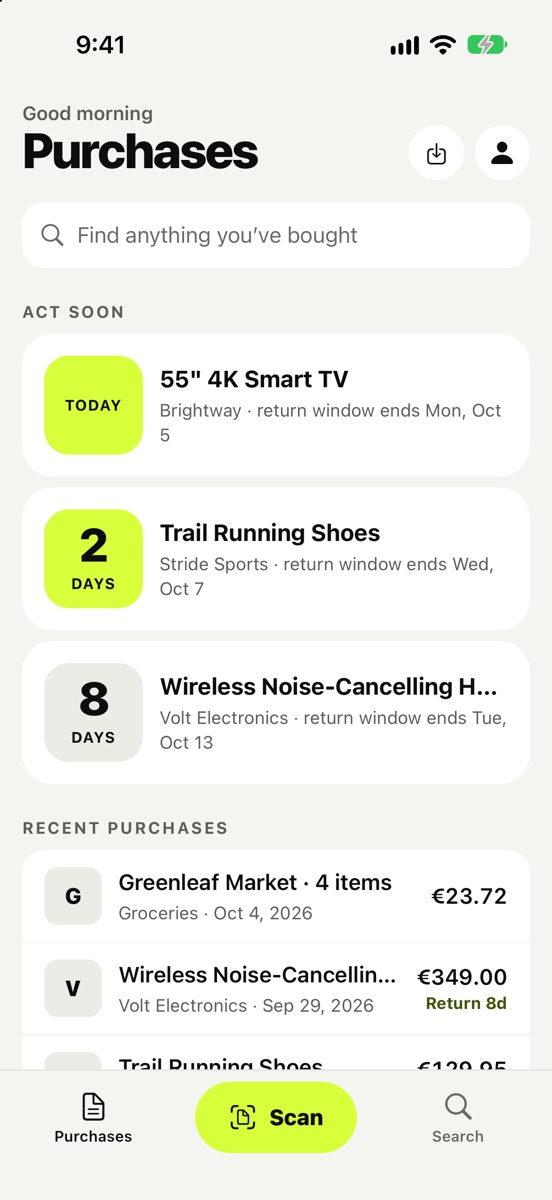
Every return window, counting down.
See what you can still take back, and how long you have. The closest deadlines come first. Policy printed on the back? Scan that side too.
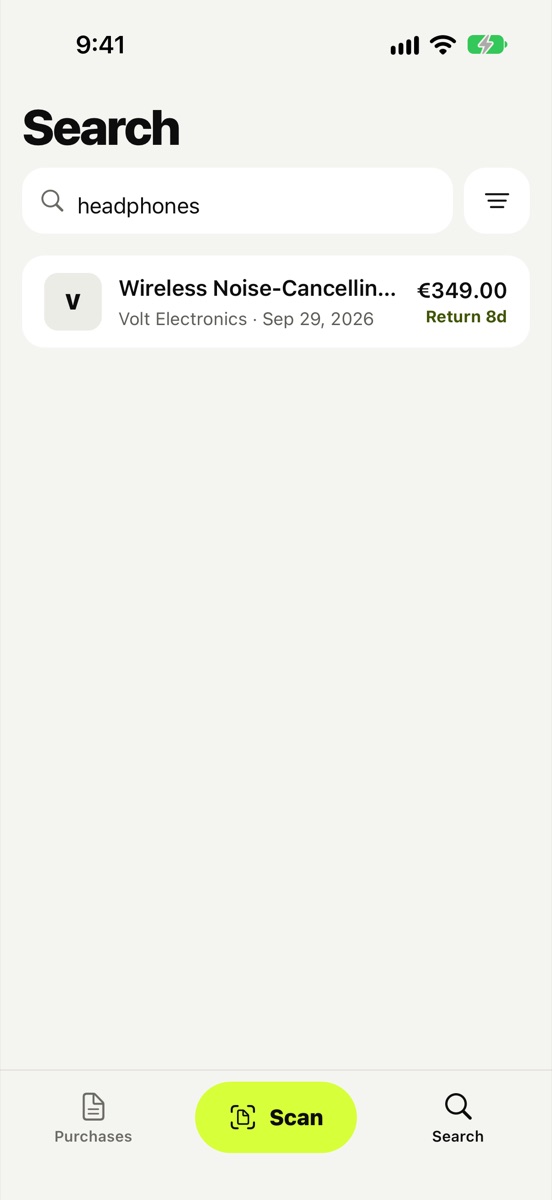
Reminded before it ends.
A notification before a warranty runs out, while a free repair is still possible, with the receipt ready to show.
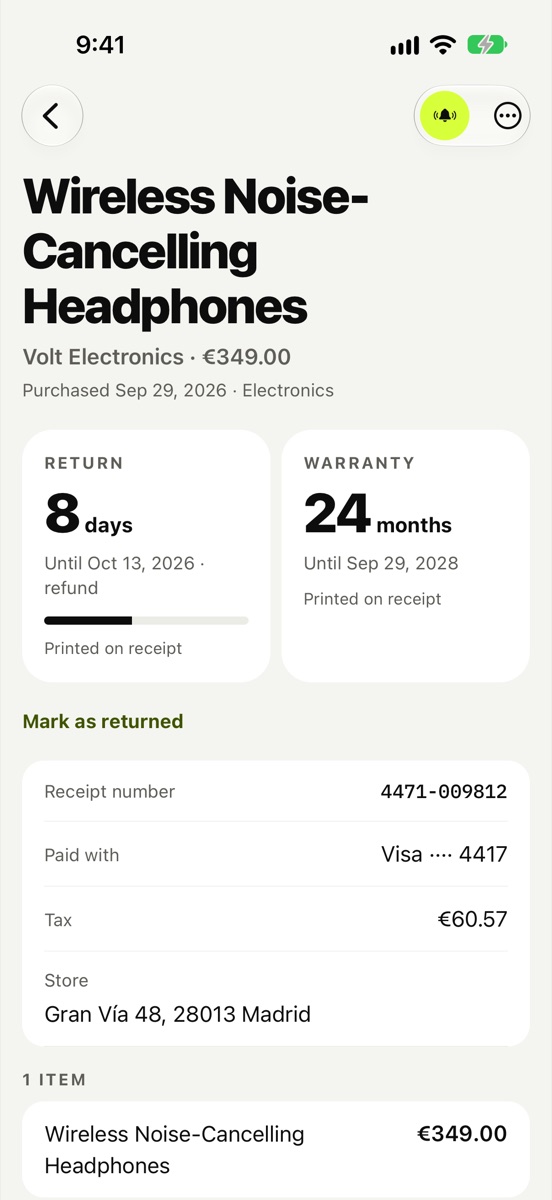
Search for what you bought.
Type "headphones", not the store or the date. The receipt is there in a second.
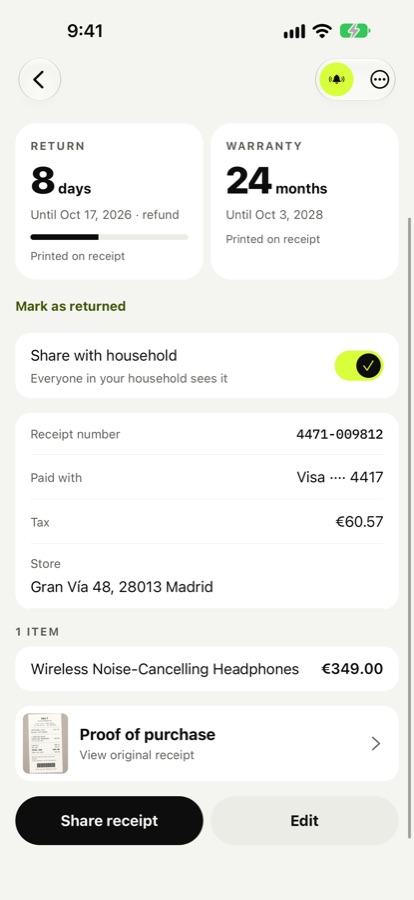
Share with your household.
Up to five people. You choose which purchases to share, and everyone sees who added or changed each one.
Without opening the app.
Ask Siri, find a purchase from iPhone search, or add the widget to your Home Screen or Lock Screen to see what ends soon.
What can I still return?Hey Siri, in Kiptic
Your receipts stay yours.
Kiptic is built so your purchases never have to leave your phone.
- Read on your phone.Receipts are never sent anywhere to be read.
- No account needed.Open the app and start. Sign in only for Kiptic Pro.
- No ads, no tracking.Nothing about you is sold or shared.
A backup only you can open.
For when you change phones, or lose one.
- Encrypted on your phone.Your backup is locked before it leaves. We can't read it.
- Follows you to a new phone.Sign in and your purchases come back, receipts and all.
- Pro Family.Everything in Pro, plus a household of up to five people. Only the person who creates it pays.
- Cancel anytime.Kiptic keeps working on your phone without it.
Help
Do I need an account?
No. Kiptic works without one. An account is only needed for Kiptic Pro, which includes the encrypted backup.
How do I move my purchases to a new phone?
With Kiptic Pro, turn on backup in Profile. On the new phone, sign in with the same account and your purchases come back. Moving between iPhone and Android uses your recovery code.
How do I restore Kiptic Pro?
Sign in with the account you bought it with. On iPhone you can also use Settings → Restore purchases.
How do I cancel Kiptic Pro?
Subscriptions are managed by Apple: Profile → Manage subscription in Kiptic, or Settings → your name → Subscriptions on your iPhone.
How do I get a copy of my data, or delete my account?
Settings → Download my data saves everything in one file. Profile → Delete account and backup deletes your account and backup for good.
How do I share purchases with my family?
With Kiptic Pro Family, go to Profile → Household, create one and tap Invite someone. They open the link and join free. Then switch on Share with household on any purchase you want them to see.
What happens if Pro Family ends?
Sharing stops. Nothing is deleted: everyone keeps the shared purchases already on their phone.
Will a store accept the receipt in Kiptic?
Each store decides. Many accept a clear photo of the receipt; some accept only the original till receipt, or a bank or card statement. Keep the paper receipt when you may need it.
Anything else? Email [email protected].